
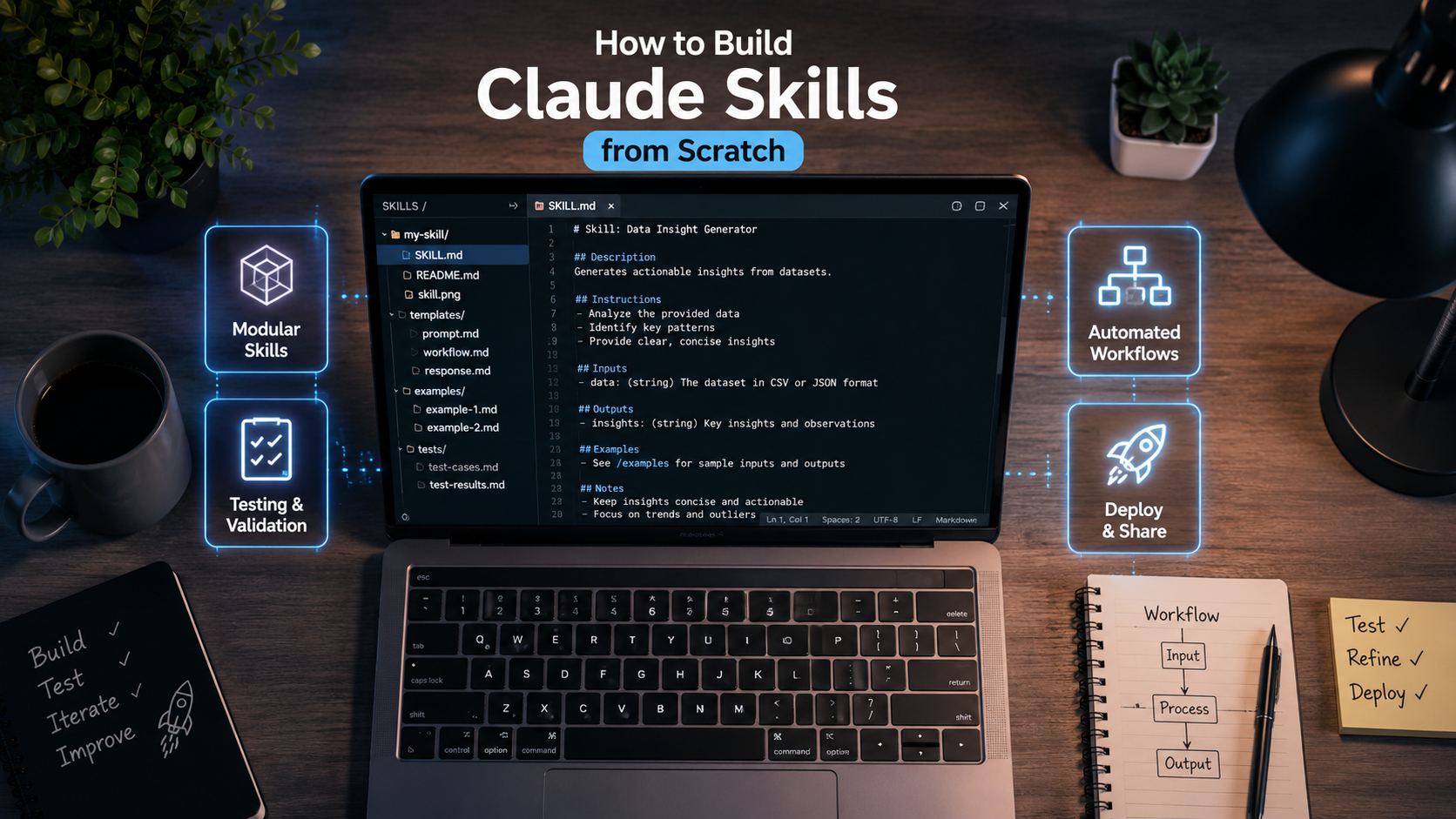
Want to make Claude work as if it possesses specialized human expertise? This guide covers how to build Claude Skills from scratch, complete with file structures, a real-world SKILL.md example, proper instruction-writing techniques, testing methods, and team distribution strategies.
Plus, everything here stems from real-world workflows—not pure theory.
How to Build Claude Skills from Scratch
Claude has officially evolved far beyond a basic chatbot. With the rollout of Skills, you can equip Claude with dedicated capabilities, forcing every single conversation to follow your exact operational standards.
Imagine hiring a brand-new digital assistant. If you must explain your workflow from scratch every single morning, your results will suffer from wild inconsistencies.
However, if you write a clear, permanent operating manual, that assistant instantly understands your expectations from day one:
- Tone of voice
- Corporate rules
- Output formatting
- Step-by-step workflows
- Operational boundaries
That exact principle powers Claude Skills.
In this guide, I will break down everything in a practical, hands-on way so you can build and publish your very first custom Skill today.
What Are Claude Skills?
A Claude Skill represents a structured collection of permanent instructions saved inside a folder, allowing Claude to execute specialized tasks whenever needed.
A Skill is NOT a one-off prompt. It is a reusable capability package.
Inside a Skill folder, you can pack:
- Core instructions
- Reference files
- Reusable templates
- Few-shot examples
- Technical documentation
- QA checklists
- Small datasets
- Corporate brand guides
Claude reviews the entire contents of your Skill directory before executing a task.
In other words, Skills force Claude to deliver far more consistent, predictable outputs than traditional prompt engineering ever could.
Why Are Claude Skills So Important?
Most people waste precious time typing massive system prompts every day.
They type things like:
"Act as a world-class SEO copywriter with 15 years of digital marketing experience..."They repeat this line on Monday. They repeat it on Tuesday. They type it again on Wednesday.
Over time, this manual reprompting gets exhausting.
With a dedicated Skill, you write those complex guidelines exactly once.
After that, you simply tell Claude:
"Use the SEO Writer Skill."Done. Claude instantly loads your entire operational context.
When Should You Use Claude Skills?
Skills deliver the highest ROI whenever your tasks are repetitive.
For instance:
- Drafting long-form SEO articles
- Building landing page copy
- Crafting email marketing campaigns
- Writing technical documentation
- Drafting internal SOPs
- Analyzing complex data sets
- Reviewing codebases
- Running security audits
- Writing client proposals
- Translating technical assets
Here’s the kicker: If you run the exact same prompt sequence more than five times a week, that workflow deserves its own dedicated Skill.
Prompts vs. Projects vs. Skills: The Real Differences
Many users still confuse these three core features. Let’s clear that up once and for all:
| Feature | One-time Use? | Retains Context? | Reusable? | Supports Files? | Core Focus |
| Prompt | Yes | No | No | No | Single Conversation |
| Project | No | Yes | Yes | Yes | Workspace / Goal |
| Skill | No | Yes | Yes | Yes | Specialized Capability |
The easiest mental model works like this:
- Prompt = A single command.
- Project = Your workspace container.
- Skill = A specialized superpower.
📌 Read Also: Managing AI Agent Risks: An Identity and Governance Guide for Tech Leaders
The Basic File Structure of a Claude Skill
A standard Skill lives inside a clean folder directory.
Here is a classic example:
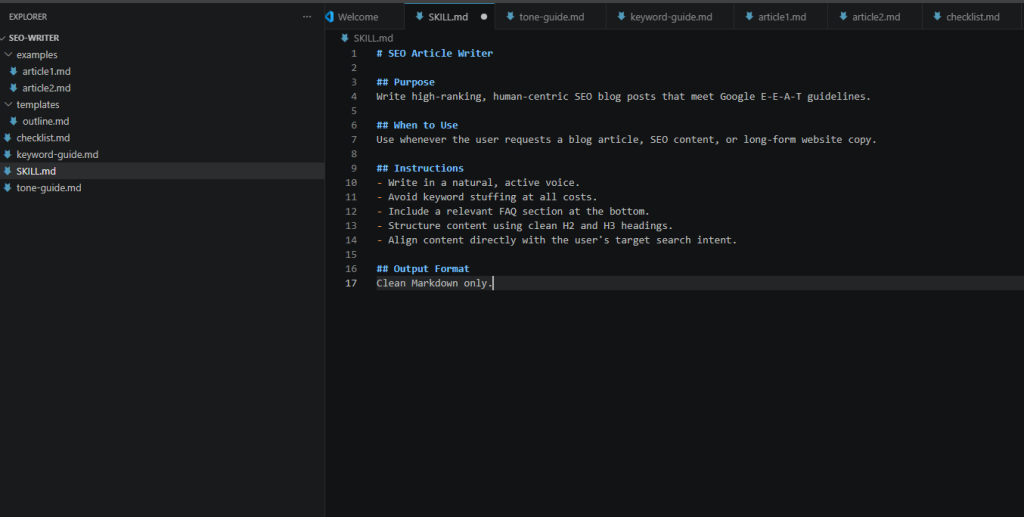
seo-writer/
├── SKILL.md
├── tone-guide.md
├── keyword-guide.md
├── examples/
│   ├── article1.md
│   └── article2.md
├── checklist.md
└── templates/
    └── outline.md
Every single file inside this folder helps Claude master how to execute the work properly.
The Master File: SKILL.md
The core heart of any Skill is its root file:
SKILL.md
Claude reads this file first. Your Skill’s overall logic, behavior, and routing stem entirely from this document.
Anatomy of a High-Performing SKILL.md
Here is a recommended, battle-tested structure:
# SEO Article Writer

## Purpose
Write high-ranking, human-centric SEO blog posts that meet Google E-E-A-T guidelines.

## When to Use
Use whenever the user requests a blog article, SEO content, or long-form website copy.

## Instructions
- Write in a natural, active voice.
- Avoid keyword stuffing at all costs.
- Include a relevant FAQ section at the bottom.
- Structure content using clean H2 and H3 headings.
- Align content directly with the user's target search intent.

## Output Format
Clean Markdown only.
While simple, this modular layout is infinitely easier to maintain than a messy, unorganized wall of text.
Refining the Purpose Section
This section defines the core mission of your Skill.
- Vague Example: “SEO Skill.”
- High-Impact Example: “Produces long-form blog posts that satisfy Google E-E-A-T criteria, maximize reader engagement, and rank organically without keyword stuffing.”
The clearer your purpose, the more consistent Claude’s output becomes.
Defining the “When to Use” Section
Users frequently skip this section. On top of that, it serves a critical routing function.
Good Trigger Rules:
"Use this Skill if the user requests: blog posts, articles, landing page copy, or SEO web content."Explicit Exclusions:
"Do NOT use this Skill if the user requests: poetry, software code, legal contracts, or language translation."Clear boundaries prevent Claude from accidentally firing off the wrong Skill.
Crafting the Instructions Core
This section forms the engine of your Skill. Always write concrete, actionable rules.
- Poor Instruction: “Write a good article.”
- Actionable Instruction:
- Use active voice and short, scannable paragraphs.
- Structure content with logical H2 and H3 subheadings.
- Keep total word count above 2,000 words.
- Append a 4-question FAQ section at the end.
- Write like an industry practitioner, not an academic textbook.
Action-oriented instructions produce infinitely better outputs than vague suggestions.
Principles for Writing High-Impact Skill Instructions
Whenever I build a new Skill, I follow four strict engineering rules:
1. Use Active Voice
- Better: “Explain each technical step in deep detail.”
- Avoid: “Detailed explanations should ideally be provided.”
2. Eliminate Ambiguity
- Better: “Write a minimum of 2,000 words.”
- Avoid: “Write a decent amount of text.”
3. Rank Your Priorities
Establish explicit order when tradeoffs occur:
- Fact Accuracy
- Readability & Tone
- SEO Optimization
- Generation Speed
4. Set Hard Negative Constraints
Explicitly tell Claude what NOT to do:
- Never invent fake statistics.
- Never cite non-existent URL sources.
- Never use robotic jargon like “In conclusion” or “Delve into.”
Setting strict negative constraints drastically reduces model hallucinations.
Utilizing Supporting Files
Your Skill does not need to live inside a single massive document. In fact, as workflows grow complex, splitting information into dedicated supporting files yields better performance.
Example Supporting Files:
style-guide.md: Stores brand voice, tone guidelines, paragraph constraints, and formatting rules.faq-database.md: Stores pre-approved corporate Q&A sets.company-profile.md: Stores mission statements, product specs, and target audience personas.
Claude dynamically references these background files to maintain complete consistency.
Adding Few-Shot Examples
Claude learns remarkably well from concrete examples.
Instead of telling Claude: “Write an SEO article,” upload actual high-performing articles as reference points inside an examples/ directory:
examples/
├── winning-post-1.md
├── winning-post-2.md
└── winning-post-3.md
The higher the quality of your uploaded examples, the more stable your final results will be.
Step-by-Step Tutorial: Building Your First Skill
Let’s put theory into practice and build a working Skill from scratch.
- Step 1: Create your primary Skill directory:
my-blog-skill/ - Step 2: Create the core anchor file:
SKILL.md - Step 3: Populate
SKILL.mdwith your core Purpose, Triggers, Instructions, and Constraints. - Step 4: Add a supporting
style-guide.mdfile to lock in your brand tone. - Step 5: Create an
examples/subfolder and drop in 2–3 winning content samples. - Step 6: Create a
templates/subfolder and add a structural template (outline.md):
# [Article Title]

## Introduction
[Hook + Intent + Solution]

## H2: Core Strategy
### H3: Tactical Steps

## Conclusion

## Frequently Asked Questions (FAQ)
- Step 7: Save your directory. Your very first custom Claude Skill is ready to deploy!
How to Properly Test Your Skill
Never assume a newly minted Skill works perfectly on attempt number one. You must run rigorous tests.
Run a basic test prompt:
"Write a comprehensive guide about selecting enterprise VPNs."Inspect the generated output carefully:
- Did it follow the exact heading structure?
- Did it match your specified brand tone?
- Did it execute the QA checklist?
- Did it generate the mandatory FAQ section?
- Is the Markdown formatting clean?
If Claude misses a requirement, update your SKILL.md instructions directly—do not try to fix it by chaining extra manual prompts. Fixing the root file turns your Skill into a permanently improving asset.
Skill Testing Checklist
Run through this quality checklist every time you update a Skill:
- [ ] Skill purpose is crystal clear.
- [ ] Instructions contain zero conflicting logic.
- [ ] Uploaded examples remain relevant and accurate.
- [ ] Structural templates are easy for the model to parse.
- [ ] All legacy information and dead links are removed.
- [ ] Output remains stable across multiple distinct test prompts.
- [ ] The model generates zero unverified or hallucinated claims.
How to Distribute Claude Skills Across Your Team
Once your Skill reaches maturity, you can easily share it across your organization to standardize operations.
Common distribution channels include:
- Storing Skill repositories on GitHub/GitLab
- Sharing zipped folders via corporate cloud storage (Google Drive, OneDrive)
- Embedding Skills inside internal company documentation
- Linking Skill folders inside developer onboarding guides
By distributing vetted Skills, your entire team instantly operates on identical quality standards.
Common Beginner Mistakes to Avoid
Watch out for these frequent implementation traps:
- Writing overly vague instructions: Telling Claude to “be professional” is useless; explicitly define what “professional” means.
- Omitting output examples: Failing to provide clear target samples forces the model to guess.
- Overloading a single Skill: Trying to build one master Skill that writes code, drafts emails, and analyzes financials creates confusion.
- Neglecting maintenance: Failing to update reference docs when company products or policies change.
- Band-Aiding errors with user prompts: Fixing errors via chat instead of editing
SKILL.md.
Best Practice: Build hyper-focused Skills designed for one core job function. If a Skill feels like a jack-of-all-trades, split it into smaller, specialized sub-Skills.
Long-Term Best Practices
Keep these operational guidelines in mind to maintain your Skills over time:
- Use descriptive folder names: Use clean naming conventions like
seo-article-writerorcustomer-support-agent. - Modularize your files: Keep instructions, templates, and style guides in separate markdown files.
- Implement version control: Tag your releases (
v1.0,v1.1) if multiple team members use the Skill. - Archive top outputs: Save exceptional outputs directly into your
examples/folder. - Schedule quarterly audits: Periodically review Skill files to purge outdated context or stale instructions.
Frequently Asked Questions (FAQ)
Are Claude Skills the same as Prompts?
No. A prompt represents a single, conversational interaction. A Skill is a structured directory of permanent instructions, templates, and reference assets designed for repeatable, long-term consistency.
Can I run multiple Skills at the same time?
Yes! You can build distinct, highly specialized Skills for different workflows—such as one for technical SEO writing, one for code reviews, and another for customer support emails.
Can a single Skill contain multiple files?
Absolutely. Beyond SKILL.md, you can include style guides, CSV datasets, JSON schemas, output templates, and example files inside the same folder.
Do Skills guarantee 100% flawless results every time?
No. Skills drastically elevate consistency and output quality, but human oversight remains essential—especially when handling real-time data, legal documentation, or mission-critical enterprise decisions.
Final Thoughts
Claude Skills completely redefine how professionals interact with AI. Instead of typing repetitive, messy system prompts every morning, you can construct a documented, testable, and shareable capability package once.
In my personal experience, the upfront time you invest in crafting a tight SKILL.md, organizing examples, and building templates pays off massively through lightning-fast workflows and rock-solid output consistency.
If you are serious about leveraging AI for true operational productivity, learning how to build Claude Skills is one of the single most valuable skill sets you can master in 2026. Start small, test thoroughly, and refine your Skills continuously as your business scales.
Now that you know how to build Claude Skills, the next step is ensuring your automated workflows remain secure. Check out our guide on AI agent security governance to protect your business.

I am is an AI Author & Practitioner specializing in AI workflow automation, prompt engineering, and digital productivity. I help solopreneurs and content creators streamline their operations using practical, real-world AI strategies