
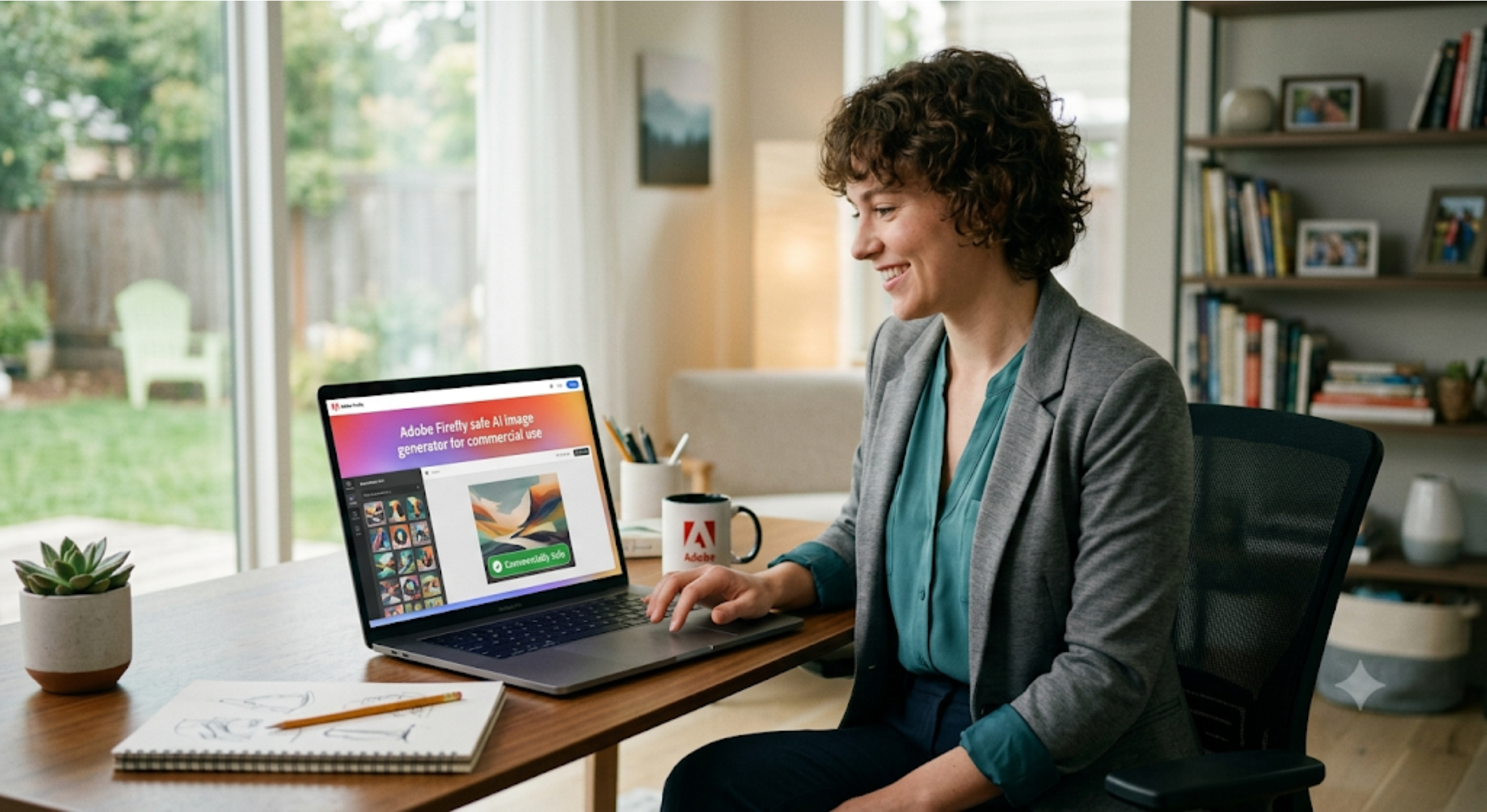
If you’re currently using AI-generated images for your blog, e-commerce storefront, YouTube channel, or client marketing campaigns, there’s one critical question you must ask before hitting that “Download” button: Can I legally use this image to make money?
It’s an incredibly easy detail to overlook. When I first started experimenting with generative AI, I naively assumed that clicking “Generate” automatically gave me full, undisputed ownership of the output.
The brutal reality? Every single platform operates under its own distinct Terms of Service, evolving licensing frameworks, and hidden commercial restrictions.
Some tools grant broad, unrestricted commercial rights to free users, while others lock your commercial usage behind premium subscription walls. For independent bloggers, freelancers, digital agencies, and solopreneurs, understanding these boundaries isn’t just about legal compliance—it’s about protecting your brand equity and avoiding catastrophic copyright strikes down the road.
In this tactical guide, I’ll break down what commercial AI usage actually looks like in 2026, expose the fine print in image licensing, and evaluate which platforms are genuinely safe for business operations.
What Exactly Counts as “Commercial Use”?
To put it simply: commercial use means deploying an asset in any way that directly or indirectly supports a profit-generating activity. It goes much deeper than just selling the digital artwork file itself.
Based on current 2026 digital marketing standards, an AI-generated image is considered a commercial asset if it appears inside:
- Monetized Content: Blog posts running Google AdSense, Mediavine, or affiliate links.
- Brand Assets: Company landing pages, official logos, and sales presentation decks.
- Paid & Organic Marketing: Facebook Ads, Google Display campaigns, and Instagram promo graphics.
- Digital Products: YouTube video thumbnails, e-book covers, and online course materials.
- Physical Merchandise: Packaging designs, corporate flyers, and print-on-demand storefronts.
Even if you aren’t directly charging a customer for the image, using it to attract traffic, build trust, or promote a service legally places it under the commercial umbrella.
5 Practical Guardrails to Check Before You Publish
Before integrating any image generator into your daily business workflow, I highly recommend auditing the software against these five foundational criteria:
1. Account-Level Tier Restrictions
Never assume a platform’s free tier allows commercial exploitation. Many leading companies specify that images generated on a free account can only be used for personal, non-commercial projects. You often need to be on an active paid subscription at the exact moment of generation to secure commercial rights.
2. User Ownership vs. Platform Rights
Read the fine print regarding platform data usage. While a tool might grant you a commercial license, their terms often state that they retain a worldwide, royalty-free license to use your generated assets, prompts, and inputs to train their future AI models.
3. Clear Permissions for Client Deliverables
If you operate as a freelancer or a creative agency, you must ensure your platform license allows you to legally transfer ownership rights over to your paying clients. If the tool bans third-party transfer, you could inadvertently expose your clients to legal liability.
4. Prompt and Dataset Privacy
Are your input ideas private? If you are working on confidential branding projects, unreleased prototype mockups, or sensitive corporate campaigns, look for tools that offer private generation spaces. Standard consumer tiers often leave your generations visible in public galleries or discord servers.
5. Intellectual Property (IP) Mirroring Risks
No platform can completely insulate you from bad prompt choices. If you explicitly instruct an AI engine to copy protected property—such as generating a superhero wearing a trademarked corporate logo or imitating a living celebrity’s exact likeness—you are creating a high-risk asset that no commercial license will protect.
Top AI Image Generators Built for Business Use (2026)
Based on rigorous daily testing within my personal workflows, here are the top three safest and most reliable platforms for commercial deployment today.
1. ChatGPT Plus (DALL-E 3 Integration)
OpenAI’s DALL-E 3, embedded directly inside ChatGPT Plus, stands out as one of the most versatile options for high-volume content creators. Its exceptional semantic understanding means you don’t need to be a professional prompt engineer to get accurate business graphics.
- Best Suited For: Featured blog headers, quick social media visuals, and educational infographics.
- The Commercial Verdict: OpenAI explicitly states that you own the images you create using ChatGPT, granting you full rights to reprint, sell, or merchandise them.
- The Pros: Unmatched accuracy when rendering specific text phrases inside graphics; highly beginner-friendly.
- The Cons: Lacks deep stylistic control or advanced lighting adjustments compared to standalone design tools.
2. Midjourney (v6 Engine)
For premium branding and high-end advertising, Midjourney remains the undisputed gold standard for cinematic quality, complex textures, and realistic lighting profiles.
- Best Suited For: Luxury product photography mockups, editorial illustrations, and concept mood boards.
- The Commercial Verdict: Full commercial rights are granted provided you are generated on a paid subscription tier. However, if your business generates over $1M in annual gross revenue, Midjourney’s terms mandate that you subscribe to their Pro or Mega plans to maintain commercial compliance.
- The Pros: Breathtaking, hyper-realistic aesthetics; includes advanced style reference locking to ensure consistent brand palettes across separate assets.
- The Cons: Operates primarily via Discord or a web-app that requires a steeper learning curve; public generations by default unless on premium stealth mode tiers.
3. Adobe Firefly
Adobe Firefly was engineered from the ground up specifically to solve the corporate compliance bottleneck. Unlike engines trained on scraped internet data, Firefly is trained exclusively on openly licensed content, public domain assets, and Adobe Stock images.
- Best Suited For: Corporate marketing teams, graphic design agencies, and strict enterprise-level campaigns.
- The Commercial Verdict: Built completely for legal safety. Adobe is so confident in Firefly’s training data that they offer intellectual property indemnification for enterprise users, meaning they will help defend you legally if a copyright claim somehow arises.
- The Pros: Indisputable legal security; integrates seamlessly with professional workflows inside Photoshop and Illustrator.
- The Cons: Can sometimes feel overly safe or sterile in its artistic composition compared to the raw creative freedom of Midjourney.
Summary Comparison Framework
| Platform | Best For | Licensing Catch | Legal Safety Level |
| ChatGPT Plus | Fast, text-heavy graphics | Must be a paid user | Medium-High (Clean ownership terms) |
| Midjourney v6 | Premium, cinematic art | Corporate revenue limits apply | Medium (Powerful, but open data history) |
| Adobe Firefly | Risk-averse corporate ads | Requires Creative Cloud ties | Highest (Full IP indemnification) |
FAQ
Can I register an unedited AI image as a trademarked company logo?
In 2026, copyright offices worldwide (including the US Copyright Office) maintain that completely raw, unedited AI-generated content cannot be copyrighted or trademarked because it lacks human authorship. If you need a legally protected logo, use the AI solely for concept generation, then manually rebuild, vectorik, and add custom typography inside Canva or Illustrator to inject human authorship.
If I cancel my paid AI subscription, do I lose the commercial rights to images I generated while paying?
On almost all major platforms (including Midjourney and Adobe), you retain permanent commercial usage rights for any asset generated during an active, valid paid subscription window. However, you cannot generate new commercial assets once your account downgrades to a free tier.
How do I protect my brand from accidentally generating copyrighted content?
Keep your prompt phrasing completely focused on abstract descriptions, color psychology, and technical camera specs (e.g., “85mm lens, corporate office setting, clean blue palette”). Absolutely avoid naming specific artists, trademarked movies, or protected brand names within your text input lines.
Also read: Best AI Image Generators (2026) to see a complete comparison of features, image quality, ease of use, and recommendations for the best platform to suit your needs.
I am is an AI Author & Practitioner specializing in AI workflow automation, prompt engineering, and digital productivity. I help solopreneurs and content creators streamline their operations using practical, real-world AI strategies